


Buying Guide
How to Buy an Affordable Laptop
This short guide helps you choose a budget 14 to 16 inch laptop quickly and confidently. It covers the most important things to check, the main product types, must-have specs, where to buy, common pitfalls and a few expert tips to get the best value.
What to consider first
Decide how you will use the laptop and set a realistic budget. Key priorities:
- Work and study - focus on battery life, keyboard comfort and at least 8GB RAM.
- Media and light photo or video editing - choose a larger 16 inch screen with 1920x1200 or better and 16GB RAM if you can.
- Casual gaming - be wary of 'gaming' labels on low-power CPUs; expect light titles only unless there is a dedicated GPU.


Types and who they suit
You will typically see three budget categories:
- Everyday ultrabooks - compact 14 inch models that prioritise portability and battery life; good for commuters and students.
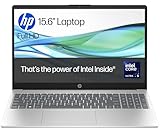
- Large-screen value laptops - 15 to 16 inch panels with more screen real-estate and often better speakers; suited to media consumption and productivity at a desk.
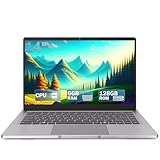
- Basic notebooks - low-cost machines with small storage and 4GB RAM; fine for web browsing but replace or upgrade for heavier multitasking.
Key features and specs to check
Focus on real hardware, not marketing claims. Check these details:
- Processor - entry-level modern chips are fine for office tasks; do not expect desktop-class performance from low-power mobile CPUs.
- Memory - 8GB minimum; 16GB recommended if you run multiple apps or browser tabs.
- Storage - prefer an SSD (M.2 NVMe if possible) over eMMC; 512GB is a practical baseline, 1TB if you store lots of media.
- Screen - 1920x1200 (16:10) gives more vertical space than 16:9 and is common on value 16 inch models.
- Battery - quoted mAh or Wh only tells part of the story; a 46Wh / 6000mAh pack is typical in this price bracket and will give modest all-day use with light tasks.
- Build and weight - 1.2 to 1.6kg is typical; choose lighter if you travel frequently.
- Ports and connectivity - look for at least one USB-C, USB 3.0, HDMI and a headphone jack; Wi-Fi 5 is common but Wi-Fi 6 is preferable for future proofing.
- Extras - backlit keyboard and a fingerprint reader are convenient; webcam quality in cheap models can be low resolution, so factor that in for video calls.

Where to buy, mistakes to avoid and expert tips
Online offers the best prices and ranges, but retail lets you test keyboard and screen in person. Check seller returns and warranty before buying. Common mistakes and quick tips:
- Do not buy based on the word 'gaming' alone - verify the CPU and GPU capability.
- Ignore small storage sizes like 128GB eMMC unless you plan to add an SSD soon.
- Check upgradeability - models with M.2 and extra RAM slots let you extend life later.
- Read recent customer reviews on reliability, battery life and service response.
- Watch stock messages - 'only 1 left' means act fast but also confirm return options.
- Buy during sales or use interest-free options if needed, but keep warranty and authorised seller status in mind.
- When choosing, favour an SSD and at least 8GB RAM; if you can afford it, buy 16GB or a model that can be upgraded.
Final Thoughts
For a sensible purchase, match the laptop to your primary use, insist on an SSD and at least 8GB RAM, prefer a 16:10 1920x1200 screen if you want more workspace, and confirm upgrade options and warranty. Use online deals for price, and a shop visit if you need to test feel and screen quality.