



Buying Guide
How to Buy a Printer
This short guide helps you choose the right printer by focusing on the practical factors that affect daily use and running costs. It covers what to check, the main printer types, where to buy, common traps and quick expert tips to act on now.
What to consider and which features matter
Start with your needs, then check these features.
- Print volume and duty cycle - match the printer to monthly page needs to avoid early wear.
- Colour or mono - go mono for mostly text, colour or photo-focused models for images and photos.
- Running costs - compare cost per page: refillable ink tanks and lasers usually win for high volumes.
- Consumables and yields - note if the printer ships with ink and the advertised page yield so you can budget.
- Media support - check paper sizes (A4 or US Letter), photo trays and whether the printer can use roll or special paper.
- Connectivity - look for Wi-Fi, Ethernet, mobile printing, USB and whether drivers are required for each platform.
- Multifunction features - duplex printing and an automatic document feeder save time for multi-page jobs.
- Portability and power - battery powered models have limited print runs; confirm battery life and included charging accessories.
- Print technology limits - some devices use thermal printing and require special thermal paper and only print in black and white.


Types and who they suit
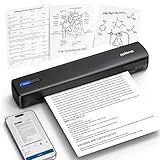
- Portable thermal printers - lightweight and inkless, ideal for travel, receipts, labels or tattoo stencils, but they only print on thermal paper and are usually mono.
- Refillable ink tank multifunctions - great for families and small offices that print high volumes; low cost per page and include scanning and copying.
- Monochrome laser printers - compact, fast and reliable for text heavy home offices; low maintenance and efficient energy use.
- Photo inkjets and compact photo printers - designed for high quality colour photos, often using 6-colour ink sets and specialised paper trays.
Where to buy and common mistakes to avoid
Online or in-store both have benefits. Online offers wider choice, detailed specs and user reviews. In-store lets you see size, feel build quality and sometimes test a print. Avoid these common mistakes:
- Buying on price alone - a cheap machine can become expensive once you buy cartridges or special paper.
- Ignoring running costs and included consumables - check whether ink or toner is included and the stated page yields.
- Overlooking media compatibility - thermal printers will not accept regular copy paper; photo printers need photo paper to perform.
- Assuming wireless works the same for all devices - some require an app for mobile printing and some need USB drivers for computers.
- Not checking what is in the box - cords, starter paper or ink, and whether a power adapter is included can vary.

Expert tips and quick recommendations
- Calculate true cost - divide the price of replacement ink or toner by its yield to get cost per page before you buy.
- For mixed use (documents and occasional photos) pick an all-in-one inkjet with individual colour cartridges to cut waste.
- If you need speed and low fuss for black and white documents choose a compact laser printer with good Wi-Fi support.
- For travel or tattoo stencils choose an inkless thermal device but confirm battery life and availability of compatible thermal paper.
- When buying online, check seller ratings, return policy and the support site for drivers; keep packaging until you have tested the first prints.
- Keep a small stock of consumables and the correct paper type to avoid downtime.
Final Thoughts
Match the printer type to your main use, check running costs and consumable compatibility, and verify connectivity and included items before you buy. Use the quick recommendations to narrow choices and buy with confidence.


