



Buying Guide
How to Buy a Gaming Monitor
This short guide explains what to consider when buying a gaming monitor, the main types you will see, the key specs to check, where to buy and the common mistakes to avoid. It uses real product trends such as ultra-high refresh rates, esports-focused panels and 4K OLED options to give practical, fast guidance.
Decide your primary use and budget
Choose your main priority first: competitive esports, immersive single-player gaming, or content work. Competitive players benefit from very high refresh rates and the fastest response times, while single-player and creators will favour resolution and colour accuracy.
Match monitor size and resolution to your desk and GPU. A 24 inch 1080p panel is ideal for ultra-high refresh esports, while a 32 inch 4K panel suits immersive play and editing.
Expect price ranges to reflect these choices. Entry to mid esports-focused monitors can be around £600, premium competitive models can exceed £1,000, and high-end 4K OLED panels with fast refresh can appear near £800.
Match monitor size and resolution to your desk and GPU. A 24 inch 1080p panel is ideal for ultra-high refresh esports, while a 32 inch 4K panel suits immersive play and editing.
Expect price ranges to reflect these choices. Entry to mid esports-focused monitors can be around £600, premium competitive models can exceed £1,000, and high-end 4K OLED panels with fast refresh can appear near £800.


Types of gaming panels and when to choose them
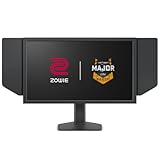
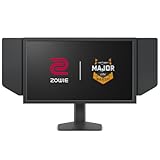
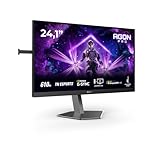
- Fast-response TN esports panels: extremely low latency and very high refresh rates seen at 500 to 610 Hz. Pick these if you play competitively and want the fastest motion clarity.
- OLED or QD-OLED high-refresh panels: offer superb contrast, deep blacks and excellent colour for HDR and creative work, with high refresh options up to 240 Hz. Be aware of the burn-in risk and look for built-in mitigation like proximity sensors or automatic black-screen features.
- IPS (general purpose): a balance of colour accuracy and decent response for mixed use. Good if you stream, edit and game without needing the absolute top-end refresh rate.
Key features and specs to check
Check these items before you buy:
- Refresh rate and response time: higher refresh rate reduces motion blur; very high rates (500+ Hz) matter most for pro esports. Response times of 0.03 ms to 0.5 ms are marketed for top competitive panels.
- Resolution and pixel density: 1080p on 24 inch gives better frame rates and lower GPU load; 4K on 32 inch gives detail and HDR benefits but needs a powerful GPU.
- Adaptive sync and variable refresh: ensure compatibility with your GPU (FreeSync/ G-Sync compatible or standard VRR).
- Ports and bandwidth: look for HDMI 2.1 or DisplayPort 2.1 to run high refresh at 4K. USB-C with PD is useful for laptop users.
- HDR, brightness and colour: check HDR rating, colour gamut and true 10-bit support if you work with colour-critical content.
- Ergonomics and mounting: height adjustment, tilt, swivel and VESA mount compatibility matter for comfort and multi-monitor setups.
- Extra tech: motion clarity modes, strobe backlight options, latency-measurement tools and uniform brightness features can be beneficial depending on needs.

Where to buy, common mistakes and quick tips
Online shops give better selection and prices but check delivery times and stock messages; some high-demand models may be scarce. Retail stores let you see colour and ergonomics in person but may have limited high-refresh demos.
Common mistakes to avoid:
Common mistakes to avoid:
- Buying the highest Hz without a GPU that can drive it. Match monitor refresh to your GPU performance.
- Ignoring panel trade-offs. Ultra-fast TN panels sacrifice wider colour and viewing angles compared with OLED or IPS.
- Overlooking ports and cables. High refresh 4K needs the right cable and port standard.
- Not checking return policy and warranty, especially for potential OLED burn-in or backlight issues.
- If you play competitively, favour a 24 inch 1080p ultra-high refresh monitor with proven motion-clarity tech.
- If you value image quality and HDR, choose a 4K OLED with burn-in mitigation and look for uniform brightness options.
- Always set the monitor to its native resolution and highest supported refresh rate in your OS, and enable adaptive sync in GPU settings.
- Keep a colour-calibration profile for creative work and test any backlight strobe modes for comfort before long sessions.
Final Thoughts
Decide whether speed or image quality matters most, then match refresh rate, resolution and panel type to your GPU and desk setup. Buy from a retailer or online store that offers clear return and warranty terms, check ports and ergonomics, and avoid overspending on features you cannot fully use. Follow the quick tips above to pick a monitor that fits your play style and workflow.


