


Buying Guide
How to Buy a Soundbar
This short guide explains what to check when shopping for a soundbar so you can pick the right one fast. It covers the crucial factors, the main types, where to buy and practical tips based on current product features and prices.
Key factors to consider
Room size and placement: match the soundbar to the room. Compact bars suit small rooms and desks, larger systems with subwoofers suit living rooms.
Connections and compatibility: prioritise HDMI ARC or eARC for best audio and lip sync. Optical and AUX are handy fallbacks. Check your TV has the matching ports.
Audio format and clarity: look for support for Dolby or DTS virtual surround if you want immersive sound. A dedicated centre channel improves dialogue clarity.
Bass and subwoofer type: decide between built-in bass, a wireless subwoofer or the option to add one later. Wireless subs offer deeper bass without extra cables.
Wireless features: Bluetooth lets you stream music from phones. Newer Bluetooth versions give more stable connections; also check for USB or Wi Fi features if you stream regularly.
Size and mounting: confirm the height will fit under your TV and whether a wall bracket is included if you want to wall mount.
Budget: expect decent options around £100, mid-range features and optional extras around £150 to £270.
Connections and compatibility: prioritise HDMI ARC or eARC for best audio and lip sync. Optical and AUX are handy fallbacks. Check your TV has the matching ports.
Audio format and clarity: look for support for Dolby or DTS virtual surround if you want immersive sound. A dedicated centre channel improves dialogue clarity.
Bass and subwoofer type: decide between built-in bass, a wireless subwoofer or the option to add one later. Wireless subs offer deeper bass without extra cables.
Wireless features: Bluetooth lets you stream music from phones. Newer Bluetooth versions give more stable connections; also check for USB or Wi Fi features if you stream regularly.
Size and mounting: confirm the height will fit under your TV and whether a wall bracket is included if you want to wall mount.
Budget: expect decent options around £100, mid-range features and optional extras around £150 to £270.


Types and when to choose them
- Compact 2.0 or 2.1 soundbars - Small footprint, easy setup, suitable for desks and small TVs. Choose this for limited space or simple upgrades.
- 3.1 soundbars - Include a centre channel for clearer speech. Good for TV shows and news where dialogue matters.
- Soundbars with wireless subwoofer - Best for movie fans who want impactful bass without messy cables.
- Dolby Atmos or virtual height models - Offer a taller, more immersive soundstage without ceiling speakers. Pick this if you watch lots of films and want a cinema feel.
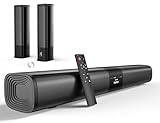
- Modular or detachable designs - Provide placement flexibility and can split into stereo towers. Useful if you need multiuse or different room layouts.
Where to buy and common mistakes to avoid
Online shopping benefits: better prices and wider selection, easy price comparison, user reviews and delivery to your door. Check stock messages before you buy; some items may be prelaunch or on a future availability date.
In-store benefits: you can hear the soundbar in person and check fit under your TV. Bring your remote or details of your TV ports to test compatibility.
Common mistakes to avoid: do not rely solely on total wattage numbers for perceived loudness or quality. Do not assume virtual surround equals true multi‑speaker setups. Check whether essential cables are included and whether the device supports eARC if your TV needs it. Ignore height and mounting requirements at your peril.
In-store benefits: you can hear the soundbar in person and check fit under your TV. Bring your remote or details of your TV ports to test compatibility.
Common mistakes to avoid: do not rely solely on total wattage numbers for perceived loudness or quality. Do not assume virtual surround equals true multi‑speaker setups. Check whether essential cables are included and whether the device supports eARC if your TV needs it. Ignore height and mounting requirements at your peril.

Expert tips and quick checklist
Measure clearance under your TV; many compact bars are under 7 cm tall and will fit beneath most screens.
Choose HDMI eARC when possible for the best audio and to avoid lip sync issues.
If dialogue is important, look for a dedicated centre channel or a dialogue enhancement mode.
For deep bass, pick a soundbar with a dedicated wireless subwoofer or an option to add one later.
Check Bluetooth version and multi‑device pairing if you stream often; newer versions offer greater range and stability.
Read return and warranty terms before purchase and keep the box for returns. If unsure, audition in store or buy from a retailer with a straightforward returns policy.
Choose HDMI eARC when possible for the best audio and to avoid lip sync issues.
If dialogue is important, look for a dedicated centre channel or a dialogue enhancement mode.
For deep bass, pick a soundbar with a dedicated wireless subwoofer or an option to add one later.
Check Bluetooth version and multi‑device pairing if you stream often; newer versions offer greater range and stability.
Read return and warranty terms before purchase and keep the box for returns. If unsure, audition in store or buy from a retailer with a straightforward returns policy.
Final Thoughts
Pick a soundbar that fits your room, matches your TV connections and delivers the bass and clarity you need. Use the checklist, compare prices and availability online, and audition in store if you can. For a quick decision, aim for a model with HDMI ARC/eARC, a centre channel or dialogue mode, and either a built-in or wireless subwoofer depending on how much bass you want.