



Buying Guide
How to Buy a 50-inch 4K Smart TV
This short guide helps you choose a 50-inch 4K smart television. It highlights the practical factors to weigh, the main product types, the vital specifications to check, and quick buying tips so you can decide fast and confidently.
What to consider before you buy
Screen size and viewing distance: 50 inches suits medium living rooms and large bedrooms. Measure the space and the viewing distance to the screen before you commit.
Picture priorities: decide whether you want the deepest blacks and cinema contrast or brighter, punchier colours for daytime viewing. That determines the panel and backlight type you should favour.
Use case and features: list what matters most to you such as gaming (low input lag and HDMI 2.1), streaming apps, voice control, or using the set as the smart home hub.
Budget and warranty: prices in the models reviewed sit roughly between £229 and £300. Factor in delivery, possible extended warranty options and whether registering the product is required to claim a longer guarantee.
Picture priorities: decide whether you want the deepest blacks and cinema contrast or brighter, punchier colours for daytime viewing. That determines the panel and backlight type you should favour.
Use case and features: list what matters most to you such as gaming (low input lag and HDMI 2.1), streaming apps, voice control, or using the set as the smart home hub.
Budget and warranty: prices in the models reviewed sit roughly between £229 and £300. Factor in delivery, possible extended warranty options and whether registering the product is required to claim a longer guarantee.


Types available and how they differ
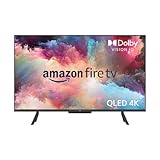
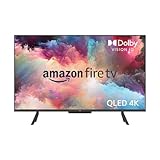
- Quantum dot panels (QLED type): offer brighter, more saturated colour and strong HDR performance. Good if you watch sports and daytime TV.
- Direct lit or full-array LED: can include local dimming zones to improve contrast and black levels. Look for a higher number of dimming zones for better contrast control.
- Basic LED value sets: competent 4K picture at lower cost but with simpler local dimming and lower peak brightness.
- Gaming-focused variants: prioritise features such as ALLM, VRR and higher refresh rates alongside HDMI 2.1 compatibility for modern consoles.
Must-check features and specifications
- Resolution and HDR: 4K is standard. Ensure support for major HDR formats listed in the spec sheet for better picture on compatible content.
- Backlight and local dimming: full-array local dimming with multiple zones gives better contrast than edge-lit designs. Note the number of zones where stated.
- Peak brightness and picture processor: higher brightness and a capable processor improve HDR impact and upscaling of lower-resolution sources.
- Gaming inputs: check for HDMI 2.1, ALLM and VRR if you plan to use a modern console.
- Ports and audio: look for at least 3 HDMI inputs, eARC for soundbars, USB ports, optical audio out and a CI slot if you use pay TV modules.
- Smart platform and apps: confirm the TV includes the apps you use and supports AirPlay or casting if you want to send content from a phone or tablet.
- Voice control and privacy: some sets include built-in microphones and a physical privacy switch to disconnect them. Consider whether you want hands-free voice control.
- Sound formats: if you want immersive audio, check for spatial sound support such as object-based formats and plan for a separate soundbar if needed.
- Extras: look for free live TV aggregation, multi-profile support, and any extended guarantee that requires registration.

Where to buy, common mistakes and quick tips
Online versus in-store: buy online for better deals and fast delivery; visit a shop if you want to judge the picture in person. Always check the return policy and delivery/installation options.
Common mistakes to avoid:
Expert tips:
Common mistakes to avoid:
- Choosing purely on price without checking ports and HDR formats.
- Assuming every smart platform has the same apps and usability.
- Failing to check warranty terms or registration requirements for extended guarantees.
- Not measuring for wall-mounting or cable reach before ordering.
Expert tips:
- Confirm there are at least three HDMI ports and that one supports eARC if you use a soundbar.
- If you game, enable Game Mode and verify input lag from reviews before buying.
- Register the TV straight away if a longer manufacturer guarantee is offered on registration.
- Update the firmware after setup for the latest app support and performance fixes.
- When possible, compare the same scene across models in a store to judge motion handling and HDR punch rather than relying on pictures online.
Final Thoughts
Choose the 50-inch 4K TV that matches your viewing habits: prioritise panel type and local dimming for picture quality, check ports and gaming features if you need them, and register the product to secure warranty benefits. Measure, compare a live demo if possible and buy from a retailer with a clear returns and delivery policy.


