




Buying Guide
How to Buy a Gaming Laptop
This short guide helps you pick a 16-inch class gaming laptop quickly and confidently. It highlights the practical factors to weigh, the main categories you will find, the key specs to check, and where to buy so you make the right purchase without wasting time.
What to consider first
Decide your primary use before anything else: gaming at high frame rates, content creation, or a mix of work and play. Then check these essentials:
- Performance needs - choose a mobile H-series CPU with multiple cores and high boost clocks for games and streaming.
- Graphics - integrated graphics can handle lighter titles; pick a system with a mid or high-end mobile GPU if you want smooth 1080p/1440p gaming.
- Memory and storage - aim for at least 16GB DDR5 (dual channel) and a 512GB PCIe NVMe SSD as a baseline.
- Display - 16:10 panels at 1920x1200 give more vertical space; higher resolution and refresh rates (144Hz up to 240Hz) matter for visual fidelity and competitive play.
- Thermals and noise - good cooling keeps performance steady; thin chassis often run hotter and louder under load.
- Portability and battery - powerful parts reduce battery life; consider weight, charger size and advertised fast charge features.
- Upgradeability - look for spare RAM or M.2 slots so you can expand later.

Types you will encounter
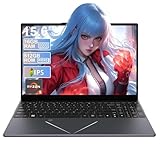
- Budget value machines - usually with energy-efficient CPUs and integrated or entry dedicated graphics; good for esports and light editing; prices often around the low hundreds.
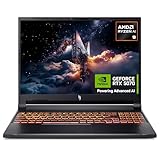
- Balanced 16-inch models - mid-range GPUs, DDR5 RAM and 1200p 16:10 panels; good compromise for gamers who also need productivity features.
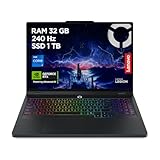
- Performance desktop-replacement - high core-count CPUs, 1TB+ NVMe storage options, and 8GB-class dedicated GPUs for serious gaming and creation; typically higher price points.
- Thin and light gaming laptops - focus on portability with clever cooling; expect premium prices and some thermal trade-offs.
Key specs and features to check
- CPU class - pick H-series mobile processors for sustained gaming performance; more cores help with streaming and content work.
- GPU type - confirm whether graphics are integrated or dedicated and whether there is 6-8GB or more of fast graphics memory for modern titles.
- RAM speed and capacity - 16GB DDR5 at around 4800MHz in dual-channel is a practical minimum; ensure a second slot if you want 32GB later.
- Storage - a 512GB NVMe SSD is common; check for additional M.2 bays and whether the drive is PCIe Gen3 or Gen4.
- Screen specs - resolution (1920x1200 is common), panel type (IPS or equivalent), refresh rate (120Hz to 240Hz), colour coverage and response time.
- Connectivity and ports - full-function USB-C, HDMI, multiple USB-A ports, SD/TF slot and Wi-Fi 6 are useful for gaming and streaming setups.
- Cooling design - look for dual fans, heat pipes and large exhausts; vendor notes on advanced cooling are a good sign.
- Extras - backlit keyboard, physical webcam privacy switch, preinstalled OS version and included warranty length.

Where to buy, mistakes to avoid and quick expert tips
Online retailers give better prices and more configuration options; check seller ratings, delivery and returns policy. High-street shops let you test the keyboard, screen and feel of the chassis before you buy. Common mistakes to avoid:
- Buying on CPU name alone without checking GPU, cooling and screen.
- Overlooking upgradeability; some low-cost systems seal RAM and storage.
- Assuming high clocked specs equal real-world performance without thermal testing.
- Ignoring charger wattage and port selection which affect future use.
- Target 16GB DDR5 dual-channel and a 512GB NVMe SSD minimum.
- Prefer 16:10 1920x1200 for a mix of gaming and productivity; upgrade to higher refresh or QHD if competitive gaming or content creation is a priority.
- Check reviews that include thermal and battery tests, not just spec sheets.
- Buy from sellers that include a clear warranty and straightforward returns policy.
Final Thoughts
Match your use case to a sensible spec sheet, favour systems with good cooling and upgrade pathways, and verify real-world reviews before buying. If you need fast action: pick a balanced 16-inch model with 16GB DDR5 and a 512GB NVMe SSD for the best value, or step up to a higher-end configuration if you want top-tier graphics and a high refresh display.