



Buying Guide
How to Buy a Keyboard Case for a Compact Tablet
This short guide helps you choose a keyboard case for an 8.3-inch compact tablet. It covers the factors that matter, the main styles on the market, the features to check before you buy, where to buy and the common mistakes to avoid. Use it to decide quickly and confidently.
What to consider before you buy
Compatibility is the top priority. Check the tablet model number in Settings > General > About and only buy cases that list those model numbers.
Think about how you will use the tablet - commuting and travel demand a light and slim folio, while heavy typing needs a sturdier keyboard and a reliable hinge. Important practical points to consider:
Think about how you will use the tablet - commuting and travel demand a light and slim folio, while heavy typing needs a sturdier keyboard and a reliable hinge. Important practical points to consider:
- Portability - weight and folded thickness (some keyboard folios weigh ~240g).
- Typing comfort - scissor-switch keys feel more stable than membrane keys; check for UK layout if you need the £ symbol and correct punctuation.
- Trackpad - handy if you want laptop-like navigation and multi-gesture support.
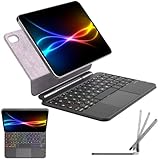
- Attachment and stand - magnetic mounts and floating stands affect viewing angles and stability.
- Charging and battery - Type-C charging or magnetic charging, and realistic battery life claims.
- Protection - does the folio fully protect the screen and corners when closed?


Types and designs explained
There are a few common form factors. Choose the one that matches your daily routine:
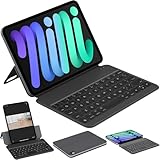
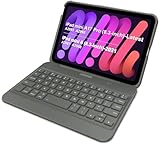
- Folio keyboard case - integrated keyboard with a protective cover; good balance of protection and typing convenience.
- Detachable Bluetooth keyboard - keyboard separates from the case; flexible but requires a second attachment method for the tablet.
- 360 degree rotating case - allows tablet to flip into presentation, typing or reading mode; useful for varied workflows.
- Floating magnetic stand case - raises the tablet into an ergonomic angle while keeping a slim profile; best for desk use and short typing sessions.
Key features and specifications to check
When comparing options, focus on real-world features rather than marketing claims:
- Layout and keys - UK QWERTY layout if you type in the UK; look for scissor-switch action for quieter, more accurate typing.
- Backlight - adjustable brightness and multiple colours are useful if you work in dim light, but check how backlight affects battery life.
- Trackpad quality - multi-touch gestures and responsiveness matter more than having a pad at all.
- Connection type - Bluetooth with auto-reconnect is convenient; magnetic keyboard connectors can offer faster pairing but check stability.
- Charging - Type-C charging is standard and reliable; magnetic charging can be neat but replaceable cables may be vendor-specific.
- Hinge and viewing angles - test for firmness and a stable hold at desk and lap angles.
- Battery life - expect modest real-world times when backlight or touchpad are used; look for quick-charge capability.
- Materials and finish - soft-touch or semi-silicone covers clean easily and resist scratches better than cheap plastics.
Where to buy, common mistakes and expert tips
Online marketplaces and retailers both have pros and cons. Online gives more choice and price comparison; retail lets you try typing and check fit in person. Key buying tips and pitfalls to avoid:
- Do not assume a case for an earlier generation will fit a newer tablet - even small changes in dimensions matter.
- Verify the seller and read recent reviews focused on fit, hinge strength and battery behaviour.
- Avoid listings that omit model numbers or keyboard layout information.
- If possible, try the keyboard feel in a shop or buy from a seller with a clear returns policy.
- Keep a spare charging cable and check whether replacement cables are standard Type-C or proprietary.
- Watch out for exaggerated battery claims - look for real user reports on how long backlight + trackpad last.
- Final check: ensure cutouts do not block ports or speakers and that the case allows sleep/wake behaviour.
Final Thoughts
Pick a case that matches your tablet model, prioritise fit and typing comfort, and favour real features such as a firm hinge, UK keyboard layout if required, a useful trackpad and a reliable charging method. If you need portability, choose a slim folio; if you type a lot, choose sturdier keys and a stable stand. Buy from retailers with good returns so you can check fit and function at home.


