


Buying Guide
How to Buy a Laptop
This short guide helps you pick the right laptop fast. It covers the key things to check, the common types and screen sizes available, must-have specifications, where to buy and practical tips to avoid buyer regret.
Key factors to consider
Decide what you will do most often - work, study, media, photo or video editing, or gaming. Prioritise one or two areas rather than chasing every feature.
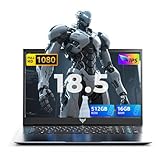
- Performance: look for a modern mobile CPU and enough RAM for your tasks. Many current value models ship with 16GB RAM and 512GB SSD which is a good baseline.
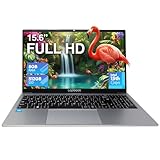
- Display and size: 15 to 16 inches is a versatile compromise. Larger 18.5 inch machines give a desktop feel but weigh more and use more power.
- Battery and portability: check battery capacity and claimed runtime. Large screens and high refresh rates reduce battery life.
- Cooling and sustained performance: thin laptops can throttle under load. If you need prolonged heavy use, choose a machine with an explicit cooling design and higher power headroom.
- Ports and connectivity: aim for at least one full-function USB-C, HDMI, multiple USB-A ports, and modern Wi-Fi and Bluetooth standards.
- Warranty and support: confirm the length of warranty and the seller support terms before buying.


Types and screen choices
Know the common categories so you match the machine to your needs.
- Ultraportable - lightweight, smaller screens, optimised for battery life. Good for travel and office work.
- Mainstream laptop - 15 to 16 inch screens, balanced performance and battery life. Ideal for most users and students.
- Desktop replacement - 17 to 18.5 inch screens, larger batteries and stronger cooling. Best when screen size and raw performance matter and you mostly work from one place.
- Gaming or creator laptop - higher refresh rate displays (120Hz or 144Hz and above) and discrete GPUs. Expect shorter battery life and more weight.
Essential specs and mistakes to avoid
Focus on features that affect day to day use and future proofing.
- RAM - 16GB is the practical minimum now. Check whether memory is dual-channel and if it can be upgraded to 32GB or 64GB.
- Storage - NVMe SSDs (512GB or 1TB) give fast boots and app loading. Check for additional M.2 or 2.5 inch bays if you want to expand to 2TB or more.
- Display - choose Full HD IPS or better for reliable viewing angles; consider a higher refresh rate only if you play fast games.
- Wireless - prefer Wi-Fi 6 where available for more stable home networking; Bluetooth 5.x improves pairing and range.
- Battery - manufacturers may quote battery capacity in mAh or Wh. A listed 8000mAh (around 60Wh) is common on larger workhorse models, but real life runtime varies by screen and CPU load.
- Upgradeability - confirm slots for RAM and additional SSDs before purchase to save money later.
- Buying on CPU or screen resolution alone without checking cooling and power limits.
- Assuming the cheapest spec will meet future needs. Low storage and soldered RAM are common limits.
- Overprioritising a high refresh rate for non-gaming use; it cuts battery life for little daily benefit.
- Ignoring seller reputation, return policy and warranty details.

Where to buy and expert tips
Online shops give the widest choice and often better prices. Retail stores let you inspect build quality, keyboard feel and screen in person. Practical tips to act fast:
- Compare prices across retailers and watch for finance or interest-free schemes if needed.
- Read recent user reviews focused on reliability, battery life and build quality rather than marketing lines.
- Check exact I/O: make sure the USB-C is full-function if you need display output or charging via that port.
- If you plan to keep the laptop for several years choose a model with upgradeable RAM or storage and a good service policy.
- For gaming pick a machine with a higher refresh rate and a discrete GPU, but expect to plug in for longer sessions to avoid thermal throttling.
- Buy a protective sleeve, a reliable charger spare and consider an external SSD for backups.
Final Thoughts
Summary recommendations: set your primary use first, aim for 16GB RAM and a 512GB NVMe SSD as a practical baseline, prefer models with upgrade slots and modern Wi-Fi. If you need gaming or heavy creative work choose a larger, better cooled machine with a discrete GPU and higher refresh rate. Always verify warranty and seller support before committing.