


Buying Guide
How to Buy a Laptop Stand
This short guide helps you pick the right laptop stand for improved posture, cooling and desk space. It covers what to look for, the main types available, important specs, where to buy and quick mistakes to avoid so you can act fast and confidently.
What to consider before you buy
Size and compatibility: check your laptop screen size and footprint. Many stands suit 10 to 18 inch devices but confirm the platform width and any hooks or lips that hold the device.
- Stability and load capacity: look for metal or thick reinforced frames that list weight capacity; flimsy plastic will wobble when typing.
- Ergonomics: choose height and angle adjustability so the top of the screen sits at eye level to reduce neck strain.
- Cooling: ventilation holes or open-frame designs improve airflow and reduce thermal throttling.
- Portability: if you move between home and office, choose a foldable or lightweight model with a carry pouch.
- Surface protection: non-slip pads and rounded edges prevent scratches and keep the laptop in place.


Types and what suits you
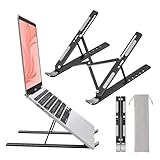
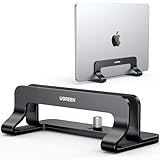
Fixed risers - simple, low-cost, good for occasional use but not adjustable. Adjustable foldable stands - versatile for hybrid workers and travellers; check locking mechanisms. Z-frame and X-frame stands - robust and height adjustable for prolonged desk work. Swivel or rotating bases - useful when sharing your screen in meetings. Pick based on how often you change working position: frequent adjusters for all-day use, compact foldables for portability and simple risers for a permanent desktop.
Key features, buying channels and practical checks
Must-have features to check before purchase:
- Material: aluminium or alloy for durability and heat dissipation.
- Angle and height range: ensure the top of the laptop can reach eye level for your seated height.
- Anti-slip pads and protective lips to stop sliding and scratching.
- Ventilation: perforations or open bases help cooling.
- Rotation and swivel options if you need screen sharing.
- Online marketplaces: widest choice, user reviews, price comparisons and often free shipping. Check return policy, delivery time and seller rating.
- High-street retailers: try the feel and stability in person before buying. Useful for testing wobble and build quality.
- Confirm the exact dimensions and packed size if portability matters.
- Check listed weight capacity and user photos or videos in reviews for real-world stability.
- Look for warranty or support details and easy returns.

Common mistakes to avoid and quick expert tips
Avoid these errors
- Buying by image alone without checking dimensions and load rating.
- Overlooking ventilation and relying on a closed-surface stand for heavy workloads.
- Choosing a too-tall or too-shallow angle that forces you to crane your neck.
- Neglecting protective pads that prevent scratches and slipping.
- Measure your seated eye height and compare to the stand's maximum lift before buying.
- If you type a lot, pair the stand with an external keyboard and mouse for better ergonomics.
- For travel, prioritise a lightweight foldable aluminium design and a carry pouch.
- Test stability by checking for wobble when pressing near the top of the keyboard area; stable stands absorb typing without rocking.
- Keep cables and ports accessible when positioned on the stand to avoid strain on connectors.
Final Thoughts
Choose a stand that matches your workflow: invest in a sturdy, adjustable aluminium option for daily use, or a compact foldable model if you need portability. Always verify dimensions, load capacity, ventilation and return policies before you buy to avoid regrets.