


Buying Guide
How to Buy a Laptop Stand
This short guide shows what to look for when buying a laptop stand so you pick something stable, comfortable and easy to use. It draws on real product features you will see in the market such as foldable aluminium builds, 360 degree swivel bases, adjustable heights and ventilation slots.
Key factors to consider
Choose a stand that meets your daily use. Important points to check:
- Build material and durability - aluminium is common for strength, cooling and a premium feel.
- Stability and weight capacity - look for 4 kg and up; some models support up to 10 kg for larger, heavier laptops.
- Compatibility - confirm it fits your laptop size and case; most stands cover 10 to 17 inches and some extend to 18 inches.
- Height and angle adjustability - stepless or multi-step height control helps achieve eye level and reduce neck strain.
- Portability - folding size, weight and whether a pouch is supplied matter if you travel or hot desk.
- Anti-slip and protection - rubber pads, edge stoppers and safety locks stop slipping and scratching.
- Ventilation - open or ventilated platforms improve heat dissipation during heavy use.


Types and key specifications to look for
Know the main types so you match form to use:
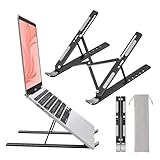
- Foldable portable stands - light, pack flat for travel; best if you move between locations.
- Adjustable pole or X-frame stands - offer greater height range for sit to stand use.
- Swivel and presentation stands - include a 360 degree base for easy screen sharing.
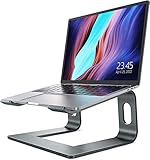
- Low-profile ventilated risers - simpler design that prioritises cooling and compact storage.
- Maximum supported laptop width and weight.
- Height range (in cm) and whether adjustment is stepless or stepped.
- Folded dimensions and product weight for portability.
- Presence of ventilation holes, rubber feet and safety locks.
- Finish and edges - smooth, rounded edges protect your device.
Where to buy and mistakes to avoid
Online shops offer the widest choice, price comparison and customer reviews; bricks and mortar stores let you test stability and build first hand. When buying online, check delivery, returns and warranty details. Watch for promotions - free shipping and time-limited deals are common.
- Common mistakes: buying by price alone, not checking laptop fit, ignoring weight capacity, and overlooking how high the stand raises the screen relative to your desk.
- Avoid stands that look flimsy in photos; if you type on the laptop keyboard a lot, verify stability under typing load.
- Do not forget external ergonomics - a raised laptop usually needs a separate keyboard and mouse for true comfort.

Expert tips and quick recommendations
Make a confident choice with these short actions:
- Measure your desk and the height you need so the top of the screen sits at or slightly below eye level.
- If you share your screen often, choose a stand with a rotating base.
- Prefer aluminium for heat management and longevity; plastic is cheaper but less durable.
- Add a 20 to 30 percent safety margin to the stated weight capacity if you use heavier laptops or attach peripherals.
- If you travel, prioritise folded thickness and whether a pouch is included.
- Budget guide: basic folding stands start around £16, mid-range adjustable options sit around £20 to £30, premium solid aluminium or multi-height models are nearer £35 to £40.
Final Thoughts
Pick a stand that matches your use case: portable and foldable for travel, sturdy adjustable stands for daily sit to stand work, or a swivel base for shared use. Check fit, stability and ventilation, and pair the stand with an external keyboard for the best ergonomic benefit.