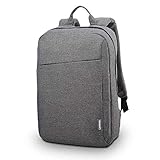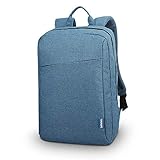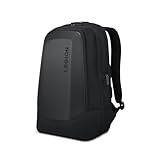



Buying Guide
How to Buy a Laptop Backpack
A short guide to help you pick the right laptop backpack fast. It covers the main things to check, the common types available, the key features and specs to compare, where to buy and practical tips to avoid costly mistakes.
Key factors to consider
Fit and size: measure your laptop across width, height and thickness and compare with the backpack's laptop compartment dimensions. Many models are listed for 15.6 inch, 16 inch or 17.3 inch machines, but actual compartment sizes vary.
- Purpose - daily commute, travel, or gaming kit will change the capacity and layout you need.
- Protection - look for double-layer padding or a moulded front panel if you carry fragile kit.
- Comfort - padded, ventilated back panels and shaped shoulder straps reduce strain on long journeys.
- Weather resistance - water resistant fabrics and covered zips keep electronics dry in light rain.
- Weight and capacity - note item weight and litres (examples range from about 16L to 30L) to match how much you carry.
- Budget - prices commonly range from around £28 to about £90 for mainstream options; choose based on how often you will use the bag.


Types you will see
Slim sleeve backpacks - low bulk, good for light commuters and students.
- Commuter backpacks - more pockets, organiser panels and comfortable straps for everyday use.
- Travel/airline friendly backpacks - larger capacity, full-opening compartments and trolley straps to go through security faster.
- Rugged or moulded-front backpacks - reinforced fronts or armour-style panels for extra impact protection.
- Anti-theft and tech backpacks - hidden pockets, lockable zips and external USB charging ports for on-the-go power.
Important features and specifications to check
Laptop compartment dimensions - always compare stated dimensions to your device rather than the labelled inch size.
- Padding - thicker padding around the laptop sleeve gives better shock protection; look for double-layer or foam inserts.
- Material - high-density nylon or coated fabric offers abrasion resistance and water repellence.
- Organisation - full-opening main compartments, dedicated keyboard and accessory pockets, and quick-access front pockets improve usability.
- External ports and pockets - an integrated USB port is useful, but check whether a power bank is included or required separately.
- Carry options - luggage trolley strap and padded carry handle help when travelling.
- Ventilation - airflow back panels and breathable padding reduce sweat on long carries.
- Weight - a very light bag may have less structure; a heavier bag often offers more protection and features.

Where to buy, common mistakes and quick expert tips
Online vs retail - buy online for a wider selection and better prices, but check return policy and stock notes. If you need to test fit and comfort, visit a store. Pay attention to availability messages - some listings show low stock so act quickly if you need the bag.
Common mistakes to avoid:
Quick expert tips:
Common mistakes to avoid:
- Assuming the inch label guarantees fit - always check compartment dimensions.
- Buying on looks alone - a stylish bag can lack protection or comfort.
- Ignoring weight - a large bag adds to what you carry, even when empty.
- Forgetting warranty and returns - check seller terms and user reviews before purchase.
Quick expert tips:
- Measure your laptop with a sleeve or case on if you plan to keep it in one.
- Choose a slightly larger compartment if you carry a charger, mouse and a keyboard.
- Test strap padding and back ventilation in store or check detailed photos and measurements online.
- Look for reinforced base and full-opening zips for travel convenience.
- Compare a few models at different price points - spending a little more often buys noticeably better protection and comfort.
Final Thoughts
Decide first on fit and intended use, then compare protection, comfort and organisation. Check exact compartment dimensions and return policies before you buy. If you travel often or carry heavy kit, invest in a model with strong padding, a rigid base and good strap support.