
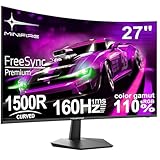



Buying Guide
How to Buy a Gaming or Curved PC Monitor
This short guide helps you choose a monitor that fits your desk, graphics card and uses. It covers the key factors to check, the main types available, the essential specifications to compare and smart buying tips so you can act quickly and confidently.
Key factors to consider
Screen size and resolution: pick a size that fits your desk and viewing distance. A 24 to 27 inch Full HD screen is good for small desks and high refresh competitive play, while 32 inch and 34 inch ultrawide screens work well for immersive single-player games and multitasking.
- Refresh rate and response time - higher numbers reduce motion blur and input lag. Look for at least 120Hz for smooth gaming; 160Hz to 280Hz for competitive play. Response times of 1ms to 4ms are typical.
- Panel type - VA panels give strong contrast and deeper blacks, IPS panels give faster pixels and wider colour accuracy. Choose based on whether you value contrast or colour/response.
- Adaptive sync - FreeSync or G-Sync compatible reduces tearing. Ensure your GPU supports the chosen standard.
- Connections and cables - confirm DisplayPort and HDMI versions. Use DisplayPort for the highest refresh rates where possible.
- Ergonomics and mounting - check tilt, height adjustment and VESA mount compatibility for a comfortable setup.


Types and who they suit
Curved ultrawide - wide aspect ratio and curve for immersion and multitasking; suits sim racers and productivity users who want more horizontal workspace.
- High refresh flat or curved screens - refresh rates from 144Hz up to 280Hz for competitive gaming where every frame counts.
- Budget curved 24-27 inch - lower cost options still offer high refresh and adaptive sync for good value on limited budgets.
- Large 32 inch curved FHD - good for casual use and media but check pixel density because Full HD on large panels can look soft.
Important specifications and quick checks
Before you buy, compare these specs and perform quick checks.
- Resolution and pixel density - higher resolution gives sharper images. 3440 x 1440 on a 34 inch ultrawide is a clear step up from 1920 x 1080 on large screens.
- Contrast ratio and brightness - VA panels commonly have higher contrast; 250 to 300 cd/m² is common on mainstream models.
- Colour coverage - check sRGB or NTSC percentage if you do creative work. Values above 100% sRGB are better for vivid colour.
- Inputs and versions - confirm DisplayPort 1.2/1.4 or HDMI 2.0/2.1 depending on the refresh and resolution you want.
- Extras - built-in speakers, low blue light modes and flicker-free tech help comfort but do not replace good external audio or proper calibration.
- Practical check - if buying in person, inspect for backlight bleed and dead pixels; if buying online, check return and warranty terms.

Where to buy, mistakes to avoid and expert tips
Online gives more choice and often better prices; retail shows the screen in person. Whichever you choose, watch these common pitfalls and follow these tips.
- Common mistakes - buying a very large low resolution screen for a small desk; assuming all HDMI cables will deliver high refresh; ignoring GPU capability so you cannot reach the advertised Hz.
- Warranty and returns - check the seller return window and the pixel policy for dead pixels before purchase.
- Buying tips - use DisplayPort cable for top refresh rates; enable adaptive sync in graphics settings; measure your desk and check VESA holes if you plan to use an arm.
- Quick setup advice - run a basic colour calibration or use built-in presets; update monitor firmware if offered; use the native resolution for best clarity.
Final Thoughts
Decide first on size and whether you need ultrawide immersion or ultra-high refresh for competitive gaming. Match panel type and resolution to your GPU and desk space, check ports and VESA compatibility, and buy from a seller with a clear returns policy. A short checklist before purchase will save you time and ensure you get the right monitor for your needs.


