



Buying Guide
How to Buy Desk Stands, Risers and Organisers
This short guide helps you choose the right desk stand, monitor riser, phone holder, power station or organiser. It focuses on durability, fit, functionality and where to buy so you can act quickly and confidently.
What to consider before you buy
Think about how you will use the item and where it will live. Key points to check include materials and stability, the exact dimensions and weight capacity, whether the product allows cable routing or charging while in use, and if it is portable or fixed. Also confirm device compatibility such as phone size and whether it fits with a protective case. If you need fast charging, check the USB-C power delivery rating. Finally, note delivery and stock information if you need the item quickly.


Types and when to pick them
- Portable phone stands: Compact, often foldable and metal for stability. Choose these for video calls, travelling or frequent repositioning. Look for smooth rotation and a cable channel for charging.
- Monitor risers and wooden desktop organisers: Larger risers raise screens and create under-desk storage. Pick these when you want a neater desk and improved ergonomics. Wooden or MDF risers usually offer a warm look and larger surface area.
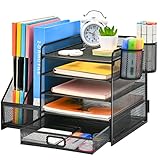
- Metal risers with drawers: Robust and slim, these combine screen elevation with small-item storage and pen holders. Choose metal if you want long term durability and smaller footprint.
- Desk power stations and extension leads: Use these when you need multiple AC sockets plus USB-A and USB-C ports. Clamps let you mount the unit to the desk edge for a tidy setup. Ensure the lead length suits your layout.
- All-in-one organiser sets: Good for outfitting a workstation quickly. These include staplers, tape dispensers and trays, and suit shared desks or gifting.
Features and specifications to check
- Material and build: Metal offers greater durability and less wobble than thin plastic. MDF is fine for risers but check finish and water resistance.
- Stability and base design: A solid base and anti-slip pads reduce tipping. Wider bases suit larger devices.
- Adjustability: Height, tilt and swivel angles matter for comfortable viewing. Some phone stands offer full 360 degree rotation.
- Cable management: Look for hollow channels, dedicated slots or openings so you can charge devices without bending cables.
- Compatibility and size: Confirm phone width or monitor footprint and any case thickness. For risers, check the footprint and drawer dimensions. Example dimension to compare against is 49cm x 26cm x 15cm for larger risers.
- Power specs: For charging, check the number of AC outlets, number of USB ports and USB-C PD wattage. A PD output of 20W or higher speeds phone charging considerably.
- Assembly and mounting: Quick assembly or included clamps save time. Check if screws or tools are required.

Where to buy and common mistakes to avoid
Online retailers give a wider range, quick price comparisons and customer reviews, while physical stores let you inspect build and stability. If buying online, check seller ratings, return policies and stock levels before you press buy. Common mistakes to avoid include assuming size without measuring desk space, ignoring weight limits for risers, buying a phone stand that does not accommodate a thick case, overlooking cable routing, and choosing poor materials for heavy monitors. Expert tips: measure the clearance under your monitor, prefer metal for daily heavy use, choose a riser that raises your screen to eye level, and if you need fast charging pick a USB-C PD port rated at least 20W.
Final Thoughts
Pick the product that matches how you work. Prioritise stability, correct size and good cable management. If you are uncertain, inspect materials in person or buy from a retailer with a simple returns policy. Small checks now will keep your desk tidy and comfortable for years.


