




Buying Guide
How to Buy an Ink-Tank All-in-One Printer
A short, practical guide to choosing an ink-tank all-in-one printer for home or small office use. Covers the must-have checks, the types you will see, the specs that matter, where to buy and quick tips to avoid common pitfalls.
Key factors to consider
Decide your typical monthly print volume and primary tasks: text, photos, scanning or multi-page copying.
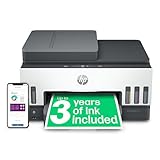
- Running cost and ink yield - look for models that include a large starter ink supply; common yields range from about 5,000 colour pages to more than 12,000 black pages from the starter set.
- Functions - confirm you need print, copy and scan plus features such as an automatic document feeder (often 30-35 sheets) and automatic double-sided printing.
- Speed and quality - expect around 10-15 ppm for monochrome text; check dpi for photo or graphic work (for office work 600-1200 rendered dpi is typical).
- Connectivity - prefer dual-band Wi-Fi, Ethernet and USB for reliable office use; Wi-Fi Direct and mobile printing support are handy for home use.
- Paper handling and footprint - check input tray capacity (some have up to a 250-sheet cassette) and the physical size to fit your desk.
- Warranty and support - ensure a reasonable warranty and clear access to replacement ink and service.

Types and important specifications
Understand the main varieties so you pick the right one for your needs.
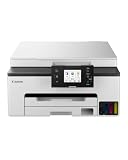
- Compact home ink-tank - smaller footprint, lower paper capacity, good for light to moderate printing and photos.
- Small office ink-tank - larger cassette, faster speeds, often includes Ethernet and larger ADF capacities for regular multi-page jobs.
- Photo or graphics focused - offers borderless printing and finer colour handling, but usually slower for heavy text jobs.
- Must-check specs - ADF capacity, duplexing, page yields for replacement bottles, refill system design (keyed, spill-free bottles), supported paper sizes, display and app control, and any security features for networked use.
Where to buy and common mistakes to avoid
Choose between online and in-store based on price, returns and the need to see a demo.
- Online - often better prices and bundles that include several years of ink; check seller reputation, delivery times and stock notices.
- In-store - useful to see build quality and ask for a test print; take advantage of local support for setup or returns.
- Common mistakes - buying on upfront price alone without checking running costs; assuming ink bottles are interchangeable; ignoring paper capacity or ADF for multi-page work; using non-recommended ink which can void warranty and harm the printhead.

Expert tips and quick checklist
Short, actionable steps to get the best long-term value.
- Prioritise total cost per page over the lowest initial price.
- Prefer models that ship with a multi-year ink supply if you print regularly.
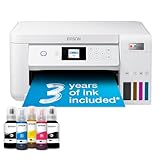
- Choose a refill system with keyed, spill-resistant bottles to reduce mistakes and mess.
- Register the printer and keep firmware up to date for security and reliability.
- Set duplex printing as the default and use recommended paper types for the best results.
- Before buying, check return policy, warranty terms and how easy replacement ink is to order locally or online.
Final Thoughts
Match the printer to your monthly volume and the tasks you do most. Pay attention to ink yield, refill design, connectivity and paper handling rather than only the headline price. Buy from a seller that offers clear warranty and includes a good starter ink supply to reduce early running costs.


