




Buying Guide
How to Buy a Laptop
A short, practical guide to choosing the right laptop quickly. Covers the main buying factors, the common categories, the key specifications to check, where to buy and the pitfalls to avoid.
Key factors to consider
Start with how you will use the device and balance performance, portability and budget.
- Use case: general office and web tasks need 8GB RAM and a modest processor; heavy multitasking or creative work benefits from 16GB or more and a faster CPU.
- Portability: smaller screens and lighter weight suit travel; larger screens help productivity but add bulk and weight.
- Battery life: manufacturers quote very different figures; if you need all-day use, look for long-life claims and fast-charge options.
- Connectivity: check for USB-C/Thunderbolt, HDMI and any legacy ports you rely on.
- Budget: entry-level machines start in the mid hundreds, while premium ultraportables rise to the high hundreds or more. Match spend to the expected lifetime and workload.

Types available
Choose the category that matches your priorities.
- Ultraportable: compact, light, good battery life; ideal for commuting and remote work.
- Traditional clamshell: balanced features and value; good for most home and office users.
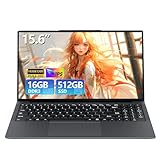
- Large screen desktop replacement: 15.6in and above, often with stronger cooling and bigger batteries; best for productivity or light media editing.
- Convertible 2-in-1: offers tablet mode and pen support; useful if you sketch or present frequently.
Important features and specifications to check
Look for these concrete specs when comparing models.
- Processor: more cores and higher turbo clock help multitasking and editing; match CPU to workload.
- Memory: 8GB is a practical minimum; 16GB recommended for heavier multitasking or creative apps; check if RAM is soldered or upgradeable.
- Storage: NVMe SSDs are much faster than older drives; 256GB works for many, 512GB or 1TB for larger media libraries.
- Display: at least 1080p for sharp text; higher refresh rates (for example 120Hz) give smoother movement if you value fluid visuals.
- Graphics: integrated graphics handle streaming and office work; discrete GPUs are needed for gaming or demanding editing.
- Ports and wireless: verify at least one USB-C, a full-size HDMI and modern Wi-Fi/Bluetooth support for future proofing.
- Webcam and audio: look for better-than-basic webcams and multiple microphones if you do many video calls.
- Extras: fingerprint or biometric sign-in, magnetic charging connectors and fast-charge capabilities can improve daily use.
Where to buy, common mistakes and expert tips
Decide between trying in-store and buying online based on how important hands-on testing is to you.
Common mistakes to avoid:
Common mistakes to avoid:
- Buying the most powerful model you can afford without considering battery life or weight.
- Overlooking port needs and planning to buy adapters later.
- Assuming RAM or storage can always be upgraded; some models are fixed.
- Ignoring keyboard layout when ordering online.
- Try a display and keyboard in a shop if feel and typing comfort matter.
- Compare warranty and return policy; a reliable return window is worth more than tiny savings.
- Consider last-generation chips to save money; they often offer excellent value.
- Buy a simple docking solution if you need multiple external screens or many peripherals.
Final Thoughts
Match the machine to your daily tasks, favour SSD speed and sufficient RAM, and check real battery tests and port layouts before you buy. If in doubt, pick a slightly higher RAM tier or a larger SSD for longer useful life.


