



Buying Guide
How to Buy a 4K Smart TV
This short guide helps you choose a 4K smart TV quickly. It covers the key factors to check, the main types and sizes, the essential specifications to compare, where to buy and the most common mistakes to avoid.
Key factors to check first
Start by fixing your priorities: picture quality, screen size, gaming performance or audio. Check the space where the TV will go and note the viewing distance and available wall or cabinet space. Also confirm your budget and whether you need immediate delivery because stock levels can vary.
- Measure the space and the stand width before buying.
- If you game, target a set with a high refresh rate and low input lag.
- If built-in sound matters, choose models with enhanced speaker arrays or plan for a soundbar.
- Note typical prices in the range observed here of roughly £410 to £770 to set realistic expectations.


Types and screen sizes
Choose a screen size to suit the room and viewing habits rather than impulse. There are compact TVs ideal for bedrooms and kitchens, mid size options for living rooms and very large panels for home cinema setups.
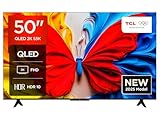
- 43 to 50 inch: good for bedrooms and small living rooms.
- 55 to 65 inch: the most versatile choice for typical living rooms.
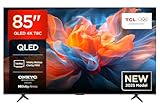
- 75 to 85 inch: for large rooms or a cinema feel; expect a higher price and delivery considerations.
- Panel types to consider: LED and QLED for bright, colourful images. Higher tier sets may include advanced colour enhancement tech and wider HDR format support.
Essential features and specs to compare
Look beyond 4K resolution. These are the practical specs that affect daily use and futureproofing.
- Refresh rate and gaming: 60Hz is common but some sets offer high refresh rates up to 120Hz or higher for smoother motion. For console or PC gaming pick HDMI ports that support the latest standards and low latency modes.
- HDR and dynamic metadata: wider HDR support improves highlight and shadow detail. Check which formats are supported rather than relying on marketing terms.
- Smart platform and apps: make sure your favourite streaming apps and any cloud gaming services are supported.
- Connections: at least two HDMI ports that support high bandwidth, one with eARC for soundbars, plus USB and reliable Wi-Fi.
- Audio: integrated speaker systems vary a lot. If you want immersive sound, budget for an external sound system unless the TV specifically advertises multi-driver, object-based audio.
- Design and mounting: narrow bezels save space but verify VESA mount pattern and stand width to match furniture.
- Processor and upscaling: dedicated picture processors enhance lower resolution content and motion handling.
Where to buy, mistakes to avoid and quick tips
Decide between online convenience and checking a display in store. Online often has better prices and delivery options, while stores let you compare picture and sound in person. Watch for limited stock and delivery lead times.
- Check return policy, warranty and delivery terms before paying.
- Avoid buying solely on resolution; motion handling, HDR support and ports matter more for real world use.
- Don’t forget the stand width and wall mount compatibility to avoid fitting problems at home.
- If you play competitive games, ensure the TV supports low latency modes and the right HDMI version.
- Compare prices across reputable retailers and look for seasonal deals, but verify availability since some models can be low in stock.
- Plan for a simple audio upgrade if you value cinema sound; even modest soundbars vastly improve dialogue and impact.
Final Thoughts
Pick the size that fits your room, prioritise the features you will use most and confirm connections and smart app support. If gaming or high motion content is important choose a higher refresh rate and low latency features. Finally, check stock, delivery and warranty so your new TV fits and performs from day one.


